Render Queue
DuME can open multiple graphs together and store them in a nice render queue.
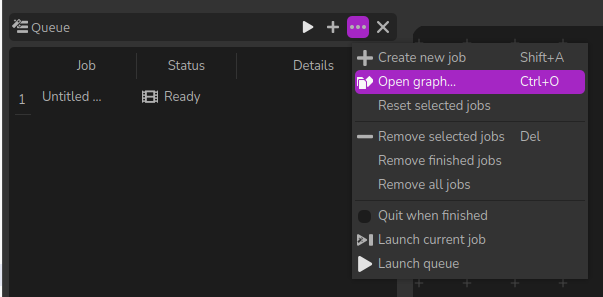
You can easily add or remove jobs from the queue; just click a job in the list to edit its graph.
The Status column shows the statuts of all jobs. If you need to re-render some jobs, select them and click the Reset selected jobs entry in the menu or the Reset job entry in the Right click context menu.
When you launch the queue, all jobs are launched one after the other, and you have the option to automatically quit DuME when all jobs have finished.
You can also launch specific jobs by selecting them and choosing `Launch current job from the menu.
Tip
During the rendering process of the jobs, you can still work on other jobs, add items to the render queue, etc: the rendering process happens in the background.
If you feel playful, you may even launch multiple jobs at once, if you feel your computer has enough resources…